 fatafat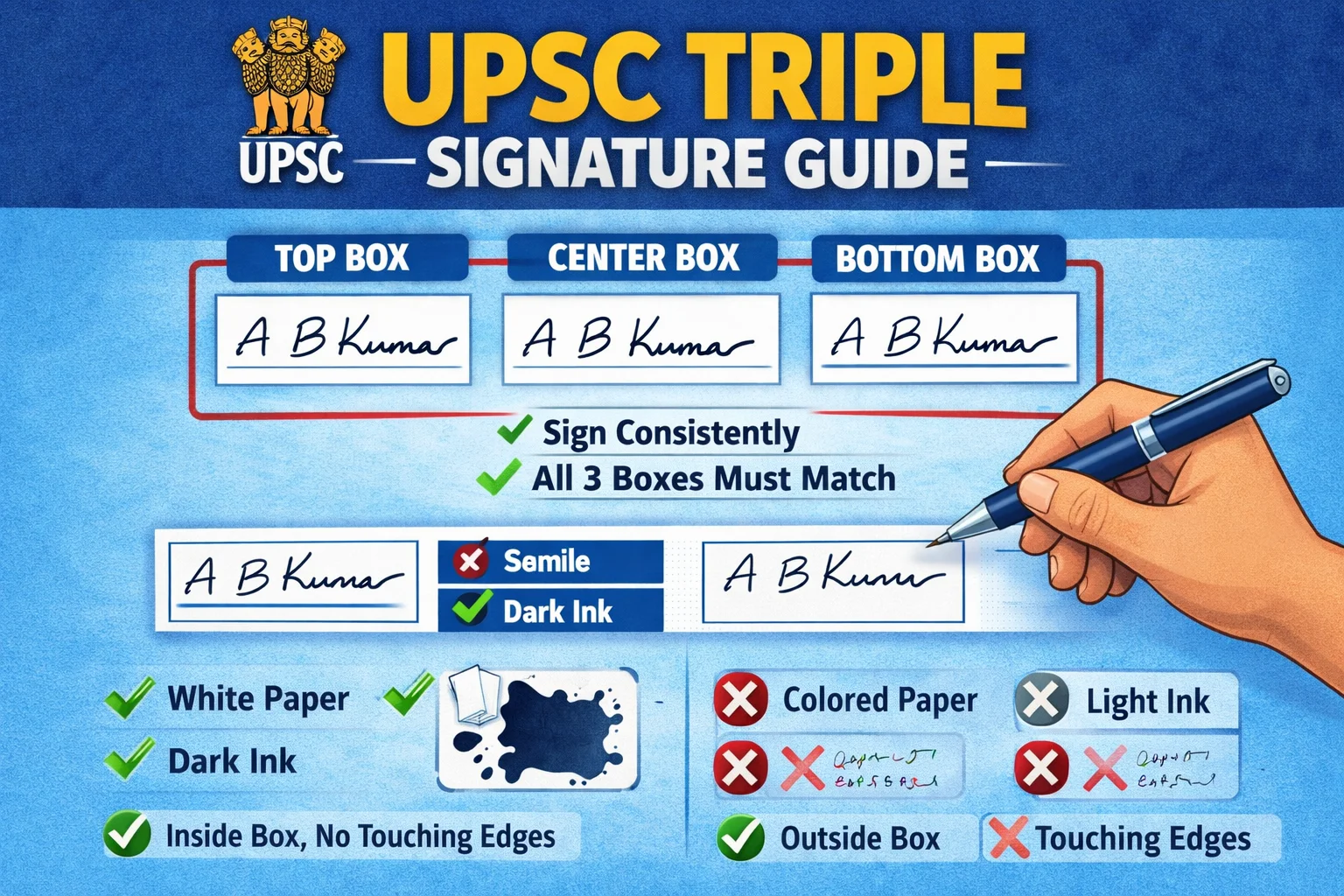
📋 UPSC Triple Signature — Quick Answer (30 Seconds)
- Size: 350×800 pixels (Width × Height)
- File Size: 20 KB – 100 KB
- Format: JPG/JPEG only (PNG allowed नहीं)
- Ink: Black only — Blue ink = Rejection
- Arrangement: Vertical — Height > Width (Portrait)
- Signatures: Physically 3 बार sign करें, copy-paste नहीं
"Image dimensions are invalid" error? → आपकी image horizontal (landscape) है। 350×800px vertical format में resize करें → Free Fix Tool यहाँ।
UPSC Form में Triple Signature क्या है? (What is Triple Signature in UPSC)
Triple Signature in UPSC form का मतलब है: एक ही plain white paper पर black ink से 3 बार अपना signature करना — एक के नीचे एक (vertically stacked)। फिर पूरे page को scan या photo लेकर single JPG image के रूप में upload करना।
यह UPSC CSE 2026 से लागू हुआ नया mandatory requirement है। Single signature या horizontal arrangement में 3 signatures upload करने पर application automatically reject होती है।
🎯 Triple Signature vs Single Signature — क्या फर्क है?
| Parameter | पुराना Format (Single) | नया Format 2026 (Triple) |
|---|---|---|
| Signatures | 1 बार | 3 बार ✅ |
| Arrangement | Single (horizontal ok था) | Vertical (portrait) ✅ |
| Dimensions | ~300×100px | 350×800px ✅ |
| Ink | Blue या Black दोनों | Black only ✅ |
| Result 2026 | ❌ Rejected | ✅ Accepted |
UPSC ने Triple Signature Rule क्यों बनाया?
- AI-Based Verification: UPSC का नया AI system 3 signatures को compare करके consistency check करता है।
- Signature Forgery Prevention: 3 बार physically sign करने से forged signatures detect करना easy हो जाता है।
- Handwriting Analysis: Multiple signatures से candidate की actual handwriting pattern better verify होती है।
- Exam Hall Matching: Exam hall में भी candidate को 3 बार sign करना होगा — यह uploaded signatures से match करेगा।
🚨 UPSC CSE 2026 में बड़ा बदलाव — इन Errors से बचें!
"Application Rejected: Signature Format Invalid"
"Upload Failed: Triple Signature Not Detected"
"Form Incomplete: Vertical 3x Signature Missing"
"Error: Image dimensions are invalid"
UPSC ने फरवरी 2026 notification में Triple Signature Rule लागू किया है। ज्यादातर aspirants को यह नहीं पता — वे गलत format में signature upload कर रहे हैं। यह guide आपको form rejection से बचा सकता है!
📋 UPSC 2026 Triple Signature — Official Requirements
- Signature Count: 3 बार sign करना होगा
- Arrangement: Vertically — एक के नीचे एक (horizontal नहीं)
- Paper: Plain white paper पर
- Ink: Black ink only (Blue allowed नहीं)
- Upload: पूरे page को scan करके single image upload
- Dimensions: Width 350–500 pixels, Height 700–1000 pixels
- File Size: 20 KB से 100 KB
- Format: JPG/JPEG only
⚠️ गलत format में signature upload करने पर application automatically reject हो जाएगी!
UPSC Triple Signature Sample — देखें सही Format कैसा दिखता है
नीचे दिया गया sample देखें — यही exact format UPSC 2026 में accept होगा। Plain white paper पर black ink से 3 signatures vertically, equal spacing के साथ।
🖊️ UPSC Triple Signature Sample Format
↕ Portrait orientation (350×800px)
Width < Height ✅ (Portrait)
- ✅ 3 signatures — एक के नीचे एक
- ✅ Black ink — gel pen preferred
- ✅ White paper — no lines, no background
- ✅ Equal spacing — 2–3 cm between each
- ✅ Portrait orientation — height > width
- ✅ Natural variations — slight difference in each is good
- ✅ Final size: 350×800px, 20–100 KB JPG
Note: तीनों signatures slightly different होंगे physically — यह UPSC चाहता है। Copy-paste pixel-identical = AI flag।
UPSC Signature: Blue Ink या Black Ink? (Blue or Black in UPSC)
यह सबसे common confusion है — UPSC 2026 में strictly black ink mandatory है। Blue ink use करने पर application reject हो सकती है।
⚫ Black Ink
Black gel pen / fountain pen। UPSC 2026 में यही accept होती है।
✅ ACCEPTED🔵 Blue Ink
Blue ink 2026 में allowed नहीं है। Previous years में था, अब नहीं।
❌ REJECTED💡 Pen Recommendation
- ✅ Best: Black gel pen (Pilot G2, Reynolds Jetter Black)
- ✅ OK: Black fountain pen with black ink
- ❌ Avoid: Ball pen — ink appears lighter in scans
- ❌ Avoid: Blue ink pen (any brand)
- ❌ Avoid: Felt tip / marker — bleeds through paper
UPSC Signature Format 2026: Visual Comparison (Horizontal vs Vertical)
❌ WRONG: Horizontal (300×100px)
Sign1
Sign2
Sign3
= Rejected: "Image dimensions are invalid"
Width > Height (Landscape)
✅ CORRECT: Vertical (350×800px)
Signature1
Signature2
Signature3
= Accepted! Perfect 1:2.3 aspect ratio
Height > Width (Portrait)
💡 "Image Dimensions Are Invalid" Error Fix — UPSC Aspect Ratio
अगर यह error आ रहा है, तो आपकी image aspect ratio गलत है। Signature कम से कम 2x taller than wide होना चाहिए।
- ✅ Correct: 350×800px (ratio 1:2.3)
- ✅ Correct: 400×900px (ratio 1:2.25)
- ✅ Correct: 450×950px (ratio 1:2.1)
- ❌ Wrong: 500×400px (horizontal — wider than tall)
- ❌ Wrong: 300×300px (square)
- ❌ Wrong: 600×500px (not tall enough)
Use our UPSC vertical signature generator to automatically fix aspect ratio issues।
Confusion की जड़ — ज्यादातर Aspirants क्या गलत कर रहे हैं?
❌ WRONG
Single Signature
सिर्फ एक बार sign करना (पुराना method)
= Application Rejected
❌ WRONG
Horizontal Triple
3 signatures side-by-side
= Application Rejected
❌ WRONG
Blue Ink
Blue ink से sign करना
= Application Rejected
✅ CORRECT
Vertical Triple (Black Ink)
3 signatures एक के नीचे एक, black ink
= Accepted!
⚠️ Top 5 Rejection Reasons:
1. सिर्फ एक बार sign करना
Single signature upload = automatic rejection। Triple signature mandatory है UPSC 2026 में।
2. Blue ink का use करना
UPSC 2026 में strictly black ink mandatory है। Blue ink = rejected।
3. Horizontal arrangement में 3 signatures
Side-by-side arrangement rejected। Rule clearly कहता है "vertically" — एक के नीचे एक।
4. Digital copy-paste से 3 signatures बनाना
UPSC का AI system pixel-identical signatures detect कर लेता है। Physically 3 बार sign करें।
5. File size या dimensions गलत होना
350–500px width और 20–100 KB file size की requirement बहुत specific है। हमारा tool इसे automatically fix करता है।
UPSC Signature Upload — Error Messages & Solutions
🔴 Error Message Solutions (UPSC Portal से)
Error: "Image dimensions are invalid"
Cause: Image horizontal है (width > height)।
Fix: Image 350×800px (portrait) में resize करें — height must be 2x+ the width। UPSC Vertical Signature Tool automatically fixes this।
Error: "File size less than 20kb" या "File size exceeds 100kb"
Cause: Compression too high या image too large।
Fix: JPG format use करें, PNG नहीं। Our tool 20–100 KB range automatically maintain करता है।
Error: "Signature not clear" / "AI Verification Failed"
Cause: Black ink appears gray after compression, या blur है।
Fix: Black gel pen use करें। Good lighting में photo लें। Our tool में black ink enhance feature है।
Error: "Signatures not in vertical alignment"
Cause: Signatures straight vertical line में नहीं हैं।
Fix: Sign करते समय center line follow करें। Photo straight (tilted नहीं) होनी चाहिए।
Error: "Upload Failed: Triple Signature Not Detected"
Cause: AI को 3 distinct signatures नहीं मिल रहे।
Fix: Signatures के बीच 2–3 cm spacing रखें। Background pure white होना चाहिए।
UPSC Me Signature Kaise Kare — Mobile से (Laptop की जरूरत नहीं!)
📱 Mobile-Only Triple Signature Guide (4 Steps):
Step 1: Sign 3 Times on Paper
- White A4 paper पर black gel pen से 3 बार vertically sign करें
- Each signature के बीच 2–3 cm gap रखें
- Center line follow करें — सब aligned रहें
Step 2: Mobile Camera से Photo लें
- Paper को flat table surface पर रखें
- Phone directly overhead रखें — no angle
- Good natural lighting, no shadows
- Highest resolution mode में click करें
Step 3: FatafatResize Mobile Tool में Upload करें
- Open UPSC Mobile Signature Tool
- Photo upload करें
- Tool automatically: 350×800px resize, 20–100 KB compress, JPG convert, black ink enhance करेगा
Step 4: Download & Upload to UPSC Portal
- Download करें (5 seconds में ready)
- File size 20–100 KB verify करें
- UPSC portal पर directly mobile browser से upload करें
📱 Mobile से UPSC Triple Signature — 2 Minutes में!
350×800px + 20–100 KB Automatic | No Laptop Needed | Black Ink Auto-Enhance
Mobile Signature Merger Tool →Step-by-Step: UPSC Triple Signature Kaise Banaye — Complete Process
चरण 1: Materials तैयार करें
- ✅ Plain white A4 paper (ruled नहीं)
- ✅ Black gel pen (ball pen avoid करें)
- ✅ Mobile phone camera या scanner
- ✅ Good lighting (natural daylight best)
चरण 2: 3 बार Vertically Sign करें
- First Signature (ऊपर): Paper के upper portion में, center में, medium size (1–1.5 cm height)
- Second Signature (बीच में): पहले के 2–3 cm नीचे, same style, exact center align
- Third Signature (नीचे): दूसरे के 2–3 cm नीचे, same spacing, same alignment
⚠️ Natural variations OK हैं — UPSC यही चाहता है। Pixel-identical = AI flag। थोड़ा variation = authentic।
चरण 3: Scan/Photo लें
Mobile Camera (95% students के लिए):
- Paper flat surface पर रखें
- Phone directly overhead, good lighting
- Highest quality mode, sharp focus
- Photo straight होनी चाहिए (tilted नहीं)
Scanner (optional): 300 DPI+, Color mode, Save as JPG
Quality Check:
- ✅ 3 signatures clearly visible?
- ✅ Background pure white?
- ✅ No shadows or dark spots?
- ✅ Not blurry?
चरण 4: UPSC Requirements में Resize करें
| Parameter | UPSC 2026 Requirement |
|---|---|
| Width | 350–500 pixels (recommended: 350px) |
| Height | 700–1000 pixels (recommended: 800px) |
| Aspect Ratio | 1:2 to 1:3 (Vertical/Portrait — height > width) |
| File Size | 20 KB – 100 KB |
| Format | JPG/JPEG only (PNG NOT accepted) |
Use UPSC Triple Signature Resizer — automatic resize, compress, JPG convert, black ink enhance।
🎯 UPSC Triple Signature अभी बनाएं — 1 Click में!
350×800px Vertical | 20–100 KB | JPG | Mobile Friendly | 100% Free
UPSC Triple Signature Resizer Tool →Why Choose FatafatResize for UPSC Triple Signature?
🏆 हमारे UPSC Triple Signature Tool की विशेषताएं:
- UPSC 2026 Specific: Pre-configured 350–500px width, auto height, 20–100 KB output, vertical alignment check
- Quality Preservation: Black ink darkness preserve, no pixelation, smart contrast enhancement
- Error Prevention: Real-time validation, "image dimensions invalid" auto-fix, warnings before upload
- Signature Cloner: One signature → auto 3x vertical generation with natural variations
- Mobile Friendly: Camera से direct upload, 10 seconds में ready, no laptop needed
- Free & Private: No charges, no watermark, signatures not saved on server, no registration
Other UPSC 2026 Documents
📋 Complete UPSC Form Filling Checklist:
- ✅ UPSC Photo Resizer — 3.5×4.5 cm passport photo (200×230 pixels)
- ✅ UPSC Triple Signature — 350×800px vertical format (you are here)
- ✅ General Photo Resizer — Aadhaar, PAN, other documents
- ✅ Signature Cloner — Auto 3x generator
FAQs — UPSC Triple Signature Format (सभी Doubts Clear करें)
Q1: UPSC form में triple signature क्या होता है? (What is triple signature in UPSC?)
A: Triple Signature का मतलब है एक plain white paper पर black ink से 3 बार vertically sign करना — एक के नीचे एक। Scanned image 350×800px, JPG, 20–100 KB में upload करनी होती है। UPSC CSE 2026 से यह mandatory है।
Q2: UPSC triple signature format exactly क्या है?
A: Format: Width 350–500px, Height 700–1000px (portrait — height > width), File Size 20–100 KB, Format JPG/JPEG, Black ink on white paper। Recommended: 350×800px।
Q3: UPSC me signature kaise kare? (How to do signature for UPSC?)
A: White paper पर black gel pen से 3 बार vertically sign करें (ek ke niche ek, 2–3 cm spacing)। Mobile से overhead photo लें। FatafatResize tool से 350×800px, 20–100 KB JPG में convert करें। UPSC portal पर upload करें।
Q4: UPSC signature blue ink या black ink? (Blue or Black for UPSC?)
A: Black ink only। UPSC 2026 में blue ink allowed नहीं है। Blue से sign किया तो application reject हो सकती है। Black gel pen best है।
Q5: UPSC triple signature sample कहाँ देखें?
A: ऊपर "UPSC Triple Signature Sample" section में देखें। Plain white paper पर 3 signatures vertically, equal spacing — यही exact format accept होता है।
Q6: UPSC triple signature format download या PDF कहाँ से मिलेगा?
A: UPSC कोई separate PDF format नहीं देता। Format simple है — white paper, black ink, 3 vertical signatures। FatafatResize tool से ready image directly download कर सकते हैं 350×800px में।
Q7: "Image dimensions are invalid" error कैसे fix करें?
A: यह error तब आता है जब image horizontal है (width > height)। Fix: Image को 350×800px vertical portrait format में resize करें। FatafatResize tool automatically यह fix करता है।
Q8: क्या तीनों signatures exactly same होने चाहिए?
A: नहीं! UPSC चाहता है कि थोड़ा naturally different हों। Physical signing में slight variations होते हैं — यह normal और expected है। Copy-paste pixel-identical = AI flag।
Q9: क्या exam hall में भी 3 बार sign करना होगा?
A: हाँ! UPSC exam hall में attendance sheet पर भी 3 बार vertically sign करना होगा। अभी से practice कर लें।
Q10: क्या PNG format में upload कर सकते हैं?
A: नहीं। UPSC portal सिर्फ JPG/JPEG accept करता है। हमारा tool automatically JPG में convert करता है।
Q11: File size exactly कितनी होनी चाहिए?
A: 20 KB से 100 KB के बीच कहीं भी। हमारा tool typically 40–70 KB output देता है — perfect range।
Q12: Signatures के बीच spacing कितनी होनी चाहिए?
A: Approximately 2–3 cm (1–1.5 inches) ideal है। तीनों signatures clearly visible और not overlapping होने चाहिए।
निष्कर्ष
UPSC CSE 2026 का Triple Signature Format Rule एक बड़ा change है — UPSC Triple Signature = plain white paper पर black ink से 3 signatures vertically, 350×800px JPG image, 20–100 KB। गलत format में signature upload करने पर application reject हो सकती है।
🎯 Action Items — अभी करें:
- ✅ White paper और black gel pen तैयार करें
- ✅ 3 बार vertically sign करें (एक के नीचे एक)
- ✅ Mobile से straight photo लें (good lighting)
- ✅ FatafatResize UPSC tool से 350×800px + 20–100 KB में convert करें
- ✅ Final checklist verify करें
- ✅ UPSC portal पर upload करें
Final Checklist — Upload Triple Signature से पहले Verify करें
✅ UPSC Triple Signature Pre-Upload Checklist:
Physical Signature Checks:
- ✅ Exactly 3 signatures? (not 1, not 2)
- ✅ Vertically arranged? (portrait orientation)
- ✅ Black ink? (not blue)
- ✅ White paper? (no lines or patterns)
- ✅ All 3 clearly visible and aligned?
- ✅ Equal spacing 2–3 cm between each?
Technical Specification Checks:
- ✅ Format JPG/JPEG? (not PNG)
- ✅ File size 20–100 KB?
- ✅ Width 350–500 pixels?
- ✅ Height 700–1000 pixels?
- ✅ Height > Width? (vertical/portrait)
- ✅ Background pure white?
- ✅ No blur or shadows?
🚀 UPSC CSE 2026 — Perfect Triple Signature बनाएं!
350×800px Vertical | 20–100 KB | JPG | Mobile Friendly | Free
👉 UPSC Triple Signature Tool (Free)Signature Cloner: Auto 3x Generator | Main Website: FatafatResize.in
🎓 Best Wishes for UPSC CSE 2026!
सालों की मेहनत एक छोटी सी signature formatting error की वजह से waste न होने दें।
याद रखें: "Image dimensions are invalid" error का solution है — 350×800px vertical format। हमारा tool automatically fix करता है।
All the Best! 🎯📚🏆 — "Dream big, prepare well, upload right!"